Welcome to Silhouette U! Personalized Support & Exclusive Video Content

Video content made to guide you with your Silhouette machines and software!

Start learning now by enrolling in Silhouette U.

play buttonWatch Video
animated arrow
  • 1:1 Chat Support & Same Day Email Support with Melissa
  • Exclusive Access & Benefits
Melissa Viscount introducing the Silhouette U Advanced UV Printing Pricing and Cost Calculator

Unlock Exclusive Member Benefits & Access

1:1 Assistance icon

1:1 Assistance

  • Personalized 1:1 Chat Help with Melissa
  • Get your questions answered in real time
  • Regularly voted one of our members' favorite perks

Exclusive Assets / Libraries icon

Exclusive Assets / Libraries

  • Access to Exclusive Content
  • New Videos Added to Video Library Monthly
  • Exclusive Members-Only Mini Guides
  • Monthly Coupon for Fonts & Designs (Pays for your membership!)

Fast Help & Savings icon

Fast Help & Savings

  • Access to Member Only Priority Inbox for Fast Help
  • Private Facebook Group Access
  • Member Only Deals at Retail Partners

×

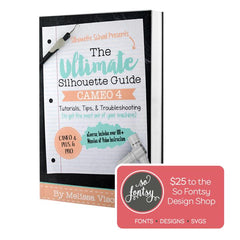
The Ultimate Silhouette Guide for Cameo 4 eCourse (Cameo 4, Cameo Plus, Cameo Pro)

Add-On Image

One Time Price!

Eek we’re so excited to have you join us at Silhouette U! We have a special offer for you!
The Ultimate Silhouette Guide for CAMEO 4 at 50% off! This is a price we ONLY offer right now - as an add on at Silhouette U sign up. Lots of our members say they use their ebook as a quick reference guide that they can tab and make notes in, in combination with the Silhouette U videos! Having both is hands down the best way to quickly master your Silhouette machine AND the software!

Frequently Asked Questions

Nothing is broken. The top toolbar only appears once you select something on your canvas, and what shows up on it changes depending on what you selected. An image gives you one set of tools, text gives you another. The tools also change depending on which machine is connected, so a tool you used with a laser connected may not be there with the Omni connected.
This edition covers the Dual O1 Omni in UV flatbed mode. Most of the software works the same way across machines, so it is still useful with an Apparel Printer or a laser connected, but with a laser you will see a few tools that are not in this guide and a few of these will not appear. A laser edition is planned.
Yes absolutely! Silhouette U has grown and expanded over the last 10 years to support UV printers, lasers, DTF / DTG, sublimation, sewing and more.
VIEW ALL

Shopping Cart

Your cart is currently empty.