Silhouette CAMEO Expert Training & Same-Day US-Based Support

Need Silhouette help that actually solves the problem? Silhouette U supports every CAMEO model and Silhouette Studio V4 and V5, from the headaches that send people searching at midnight: Bluetooth that won't connect, a CAMEO that isn't cutting deep enough, moving Studio to a new computer, blade and cut settings, and design questions big and small. Get answers from real experts with same-day, US-based support, plus a 700+ video library and step-by-step tutorials. Whether you're troubleshooting a machine that won't cooperate or learning a new technique, we've got you covered.

play buttonWatch Video
animated arrow
  • 1:1 Chat Support & Same Day Email Support with Melissa
  • 700+ xTool & Multi-Brand Tutorials, Updated Monthly
Free DTF Printer Buying Guide 2026 - Compare the best DTF printers for small business including Procolored, Prestige, Uninet, xTool, Roland and STS models

It's Like Having Your Own Coach

Whether you're brand new to your Silhouette CAMEO or a seasoned crafter, enrollment in Silhouette U saves you hours of scrolling YouTube and Facebook groups looking for Silhouette Studio answers that actually work.

Wondering why we're "Silhouette" U? It all started back in 2013 with a single Silhouette die cutting machine. Over the years Melissa's knowledge and expertise has grown Silhouette U into the go-to place for real Silhouette CAMEO and Silhouette Studio help, backed by strong partnerships across the customization industry.

She's thrilled to share her expertise and one-of-a-kind same-day support with you as you grow your Silhouette crafting or small business.

Learn More

Watch This FREE Video from the Silhouette U Library

The videos in our Silhouette U library are exclusive to Silhouette U and can't be found anywhere else - including on Youtube. Get a sneak peek before you join by watching the video below.

Want to View All Our Silhouette Video Tutorials?

Want to learn the software start to finish? Get more out of your Silhouette machine? Browse our Silhouette video library

View Library →

Unlock Full Access Member Benefits & Access

1:1 Assistance icon

1:1 Assistance

  • Personalized Same Day Support with Creative Space, Material Settings & Project Troubleshooting
  • Get your questions answered in real time
  • Regularly voted one of our members' favorite perks

Exclusive Assets / Libraries icon

Exclusive Assets / Libraries

  • Access to Exclusive Content
  • New Silhouette Videos Added Monthly
  • Exclusive Members-Only Mini Guides
  • Monthly Coupon for Fonts & Designs (Pays for your membership!)

Fast Help & Savings icon

Fast Help & Savings

  • Access to Member Only Priority Inbox for Fast Help
  • Private Facebook Group Access
  • Member Only Deals at Retail Partners

We're More Than Just Silhouette! Other Brands We Support


×

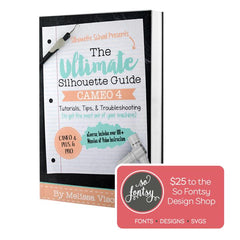
The Ultimate Silhouette Guide for Cameo 4 eCourse (Cameo 4, Cameo Plus, Cameo Pro)

Add-On Image

One Time Price!

Eek we’re so excited to have you join us at Silhouette U! We have a special offer for you!
The Ultimate Silhouette Guide for CAMEO 4 at 50% off! This is a price we ONLY offer right now - as an add on at Silhouette U sign up. Lots of our members say they use their ebook as a quick reference guide that they can tab and make notes in, in combination with the Silhouette U videos! Having both is hands down the best way to quickly master your Silhouette machine AND the software!

Frequently Asked Questions

Cutting problems usually come down to blade depth, force, and material settings, or a worn blade or mat. Match your cut settings to your exact material, run a test cut, then raise the blade and force in small steps. If it's still tearing or not cutting deep enough, the blade or cutting mat may need replacing. Members get step-by-step troubleshooting and can chat with us to diagnose it fast.
On the CAMEO 4 and CAMEO 5, turn on Bluetooth on the machine, then pair it in Silhouette Studio from the Send panel. If it won't connect, restart both the machine and Studio, make sure no other device already has it paired, and confirm Studio is fully updated. We have complete Bluetooth setup tutorials for the CAMEO 3, 4, and 5 inside the membership.
Download Silhouette Studio fresh on the new computer, sign in with the same account so your library and any paid upgrade like Designer or Business Edition follow you, then re-sync your designs. Your license is tied to your account, not the old machine. Members can walk through it with us if anything doesn't carry over.
Same-day, US-based help from real experts, including 1:1 chat and a private member inbox, plus a 700+ video library covering Silhouette CAMEO machines and Silhouette Studio from beginner to advanced. Instead of digging through forums for an answer, you get a direct reply from someone who actually knows the software.
The Basic edition of Silhouette Studio is free and handles everyday cutting and design. Designer Edition adds tools like advanced text, the knife tool, and more file types, and Business Edition adds tiling, multi-machine, and production features. Which one you need depends on your projects, and we have tutorials breaking down each edition so you only pay for what you'll actually use.
VIEW ALL

Awesome Support

"I love the feeling that I always have help when I need it. The videos are informative and easy to follow. Melissa is so energetic and always gets me motivated even if I’m doubtful I can accomplish a difficult task. Highly recommend Silhouette U!" - Jeanne B. Silhouette U Member


Shopping Cart

Your cart is currently empty.