DTF Printer Training + Same-Day Support

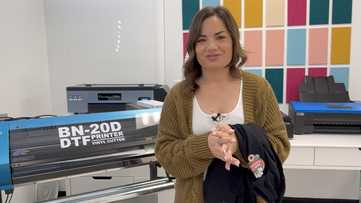
Get expert help with your DTF printer - xTool, Prestige, Uninet, Epson, or any brand. Video tutorials, gang sheet workflows, heat press settings, transfer troubleshooting, and same-day support from Melissa.

play buttonWatch Video
animated arrow
  • 1:1 Chat Support & Same Day Email Support with Melissa
  • Exclusive Access & Benefits
Free DTF Printer Buying Guide 2026 - Compare the best DTF printers for small business including Procolored, Prestige, Uninet, xTool, Roland and STS models

It's Like Having Your Own Coach

Whether you are a DTF beginner or an advanced user, enrollment saves you hours of digging through YouTube and Facebook groups looking for DTF training that actually works.

Wondering why we're "Silhouette" U? It all started in 2013 with a Silhouette die cutting machine. Over the years Melissa's knowledge and expertise has grown to cover the full customization industry, including DTF printing on xTool, Prestige, Uninet, Epson, and other popular DTF printer brands. The training here covers the universal stuff that works on any printer - heat press temps, transfer application, gang sheet setup, white underbase troubleshooting, powder cure issues, and design prep - plus printer-specific workflows where it matters.

She's thrilled to share her expertise and one of a kind support with you as you grow your DTF craft or small business.

Learn More

Free DTF Calculators and Tools

Shopping for a DTF printer or trying to figure out what one really costs to run? These free tools compare the top DTF printers side by side, give you a personalized recommendation based on your budget and volume, and calculate the true cost per print over time, ink, film, powder, and all. Built to help you buy smart and price your transfers for profit.

Unlock Full Access Member Benefits & Access

1:1 Assistance icon

1:1 Assistance

  • Personalized Same Day Support with DTF Printers, Gang Sheets, White Underbase & Powder Cure Issues
  • Get your questions answered in real time
  • Regularly voted one of our members' favorite perks

Exclusive Assets / Libraries icon

Exclusive Assets / Libraries

  • Access to Exclusive DTF "How To" Videos
  • New DTF Videos Added Monthly
  • Exclusive Members-Only Mini Guides
  • Monthly Coupon for Fonts & Designs (Pays for your membership!)

Fast Help & Savings icon

Fast Help & Savings

  • Access to Member Only Priority Inbox for Fast Help
  • Private Facebook Group Access
  • Member Only Deals at Retail Partners

We're More Than Just Silhouette! Other Brands We Support


×

The Ultimate Silhouette Guide for Cameo 4 eCourse (Cameo 4, Cameo Plus, Cameo Pro)

Add-On Image

One Time Price!

Eek we’re so excited to have you join us at Silhouette U! We have a special offer for you!
The Ultimate Silhouette Guide for CAMEO 4 at 50% off! This is a price we ONLY offer right now - as an add on at Silhouette U sign up. Lots of our members say they use their ebook as a quick reference guide that they can tab and make notes in, in combination with the Silhouette U videos! Having both is hands down the best way to quickly master your Silhouette machine AND the software!

Frequently Asked Questions

Silhouette U covers DTF training that works across the most popular DTF printer brands including Prestige, Uninet, Procolored, and Epson. Training videos cover gang sheet setup, white layer troubleshooting, powder application, heat press settings, and DTF transfer application on shirts, wood, canvas, and more. New DTF videos are added monthly, and members get same-day 1:1 chat support from Melissa.
The right DTF printer depends on your budget, space, and production volume. Entry-level options like the ProColored F8 work for small batches, mid-range options like the Uninet 100 or Prestige R1 handle steady volume, and larger options like the Roland BY-20 and Epson F2270 handle commercial work. Use our free DTF Printer Decision Tool to get matched with the right printer, or members can access our full DTF Printer Features & Pricing Comparison Tool for a deeper breakdown.
DTF transfers typically apply at 320-330°F for 10-15 seconds with medium-firm pressure, though exact settings vary by transfer film brand and the garment material you're pressing onto. Cotton, polyester, and poly-blends all work well with DTF, and DTF transfers will also apply to non-fabric surfaces like wood, canvas, and bags. The most common application mistakes - lifting edges, washed-out color, sticky residue - usually trace back to temperature, pressure, or peel timing (hot peel vs cold peel). Silhouette U members get full video training on every common DTF application scenario, plus same-day support if you're stuck mid-project.
Most DTF printer manufacturers offer help desk support that's slow, overseas-based, or limited to basic equipment troubleshooting - and they won't help with the software, application, or business questions that come up daily. Silhouette U is US-based with same-day 1:1 chat and email support directly from Melissa, who teaches DTF training across multiple printer brands. Whether you need help diagnosing a clogged head, sorting out your RIP software, choosing the right transfer paper, or figuring out why your white underbase looks gray instead of white, you get real answers from a real person who actually uses these machines. No tickets, no scripts, no waiting days for a response.
VIEW ALL

Shopping Cart

Your cart is currently empty.