Free Silhouette Studio Library Keyword Starter Guide

Can't find the Silhouette files you know you saved? This free printable Silhouette Studio Library Keyword Starter Guide shows you exactly how to tag your Silhouette Studio files so they actually turn up when you search your library. Includes the 5 tagging angles, real examples, and a copy-from starter keyword bank for your Silhouette library. Enter your email below to download.

play buttonWatch Video
animated arrow
  • 1:1 Chat Support & Same Day Email Support with Melissa
  • Exclusive Access & Benefits
Free DTF Printer Buying Guide 2026 - Compare the best DTF printers for small business including Procolored, Prestige, Uninet, xTool, Roland and STS models

Unlock Exclusive Member Benefits & Access

1:1 Assistance icon

1:1 Assistance

  • Personalized 1:1 Chat Help with Melissa
  • Get your questions answered in real time
  • Regularly voted one of our members' favorite perks

Exclusive Assets / Libraries icon

Exclusive Assets / Libraries

  • Access to Exclusive Content
  • New Videos Added to Video Library Monthly
  • Exclusive Members-Only Mini Guides
  • Monthly Coupon for Fonts & Designs (Pays for your membership!)

Fast Help & Savings icon

Fast Help & Savings

  • Access to Member Only Priority Inbox for Fast Help
  • Private Facebook Group Access
  • Member Only Deals at Retail Partners

×

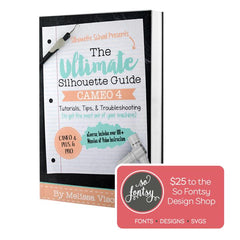
The Ultimate Silhouette Guide for Cameo 4 eCourse (Cameo 4, Cameo Plus, Cameo Pro)

Add-On Image

One Time Price!

Eek we’re so excited to have you join us at Silhouette U! We have a special offer for you!
The Ultimate Silhouette Guide for CAMEO 4 at 50% off! This is a price we ONLY offer right now - as an add on at Silhouette U sign up. Lots of our members say they use their ebook as a quick reference guide that they can tab and make notes in, in combination with the Silhouette U videos! Having both is hands down the best way to quickly master your Silhouette machine AND the software!

Frequently Asked Questions

Most of the time it's because the file has nothing to search. Silhouette files you import or design yourself arrive in your library with no category, no description, and often just a filename. Since search looks through those details, an untagged file is basically invisible. Adding keywords to your Silhouette Studio files fixes it. This free guide shows you exactly which keywords to use.
The fastest way is custom keywords. Silhouette Studio's built-in categories don't cover sublimation, stickers, DTF, or UV, so keywords are the only way to group your Silhouette library the way you actually think about it. Tag each design from several angles, occasion, subject, product type, and technique, and it will turn up no matter how you search. The starter guide gives you a copy-from keyword list to make it quick.
Select the file, open the Show Properties panel, and you'll find fields for the name, description, category, and keywords. Type your keywords into the keyword field and they become searchable, even if that word appears nowhere else in the file. You set them one file at a time, so the trick is to tag as you go rather than fixing your whole Silhouette Studio library at once.
VIEW ALL

Shopping Cart

Your cart is currently empty.