


Laser Engraver Comparison Tool
Compare laser cutters and engravers side by side, in plain English. Pick two machines to see how they stack up on what actually matters: can it cut clear acrylic, will it mark metal, how much space it needs, and more. Not sure what the specs mean? We translate them for you.
Compare 3 or more machines
Comparing two is free. To line up three or more side by side, pop in your email and we'll unlock it.

Exclusive Member Benefits

1:1 Assistance
- Personalized 1:1 Chat Help with Melissa
- Questions answered in real time
- Same-day response — no ticket queue
- Support for Laser, Silhouette, Roland, sublimation, DTF & more

Exclusive Assets / Libraries
- 700+ exclusive video tutorials — not on YouTube or anywhere else
- Advanced Laser Settings Finder
- Members-only mini guides & resources
- Monthly Coupon for Fonts & Designs (Pays for your membership!)

Fast Help & Savings
- Access to Member Only Priority Inbox for Fast Email Help
- Private Facebook Group Access
- Live Q and A Video Sessions
- Member Only Deals at Retail Partners
Pick Your Silhouette U Plan and Join
12 Month Enrollment
FULL ACCESS
$149.99/ 12 Months
Automatically Rebilled Every 12 Months
6 Month Enrollment
FULL ACCESS
$79.99/ 6 months
Automatically Rebilled Every 6 Months
Monthly Enrollment
FULL ACCESS
$14.99/Month
Automatically Rebilled Every Month
The Ultimate Silhouette Guide for Cameo 4 eCourse (Cameo 4, Cameo Plus, Cameo Pro)
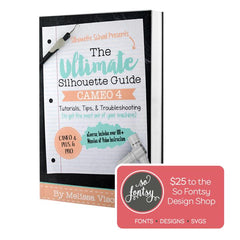
One Time Price!
Eek we’re so excited to have you join us at Silhouette U! We have a special offer for you!The Ultimate Silhouette Guide for CAMEO 4 at 50% off! This is a price we ONLY offer right now - as an add on at Silhouette U sign up. Lots of our members say they use their ebook as a quick reference guide that they can tab and make notes in, in combination with the Silhouette U videos! Having both is hands down the best way to quickly master your Silhouette machine AND the software!
700+ Videos in Our Video Library (Click Any to Preview)
Join to Unlock Full Video Library
November 2024
xTool Creative Space: Design Laser Cut Wood Inlay Using Kerf
Master kerf when you're laser cutting by following these pro tips! This is...

February 2026
How to Convert a PNG to a Laser File in xTool Studio (Formerly xTool Creative Space)
Learn how to convert flat PNG files into layered laser-ready designs in xTool...

March 2025
How to Laser Engrave, Cut, and Score at the Same Time (Homework 46.2)
Learn the powerful techniques for laser cutting, engraving and scoring all in a...
Tara M.
Time is Money
As a business owner, I know that time is money, and having access to someone as knowledgeable as Melissa has been worth every dollar I've invested. Her guidance has saved me countless hours of trial and error.
Sherry B.
Don't Wait to Join
I should have joined when I first purchased my Silhouette. Would have saved myself a lot of money on wasted vinyl and time... I am working on creating sticker designs for my small business.
Tiffany P.
Expanded My Business
I completed a basic vinyl cut and print, HTV print, and more in less than a week of having my machine and it was all made possible by Silhouette U. I was met with a world of opportunities to expand my business, making it a one-stop shop by being able to offer my clients customized items for their events.
Frequently Asked Questions
"Absolutely Worth It"
"I am brand new to the printing/cutting game, with a Roland BN2-20A. I joined Silhouette U because of all of Melissa’s helpful YouTube videos on my new machine. The membership has been absolutely worth it! Melissa is so knowledgeable and super responsive to any questions." - K.M. Silhouette U Member
